If you've ever browsed the Roblox Avatar Shop or watched a YouTuber mention a special code that gives you free items, you've probably wondered what Roblox creator codes actually are and whether they're worth using. These codes are a simple way to support your favorite Roblox creators while picking up exclusive virtual items for your avatar and understanding how they work can save you from scams and missed rewards.
What Exactly Are Roblox Creator Codes?
A Roblox creator code (sometimes called a Star Code or Roblox promo code from a creator) is a unique word or phrase assigned to eligible Roblox content creators and developers. When a player enters this code during a purchase in the Roblox Avatar Shop, the creator earns a small percentage of that transaction at no extra cost to the buyer.
Think of it like using an affiliate link when you shop online. You pay the normal price, and the person behind the code gets a cut from Roblox. It's Roblox's way of rewarding creators who bring players to the platform and keep the community active.
How Do Roblox Creator Codes Work Step by Step?
Using a creator code is straightforward. Here's the process:
- Go to the Roblox Avatar Shop (formerly called the Catalog).
- Browse and find an item you want to buy with Robux.
- Before completing your purchase, look for the "Support a Creator" option.
- Enter the creator code in the provided text box.
- Complete your purchase as you normally would.
Once you enter the code, it stays active on your account for a set period (usually around seven days). During that time, any Robux you spend in the Avatar Shop will support that creator. You don't need to re-enter the code every time you buy something within that window.
Do Creator Codes Give You Free Items?
This is one of the most common misunderstandings. Roblox creator codes do not give you free items or Robux. Their purpose is to support a creator financially when you make a purchase. If you're looking for codes that actually grant free virtual items, you might be thinking of promo codes that unlock specific Roblox accessories those work differently.
Who Can Get a Roblox Creator Code?
Not just anyone can get a creator code. Roblox assigns them to creators who meet certain eligibility requirements. Generally, this includes:
- Roblox Star Program members content creators accepted into Roblox's official partnership program.
- Developers with popular games on the platform who drive engagement and player activity.
- Established YouTubers, streamers, and social media creators who actively cover Roblox content.
You typically need a significant following and consistent Roblox-related content to qualify. Roblox handles applications through its official developer and creator programs, not through third-party websites.
Where Do You Enter a Creator Code in Roblox?
You enter the code directly inside the Roblox Avatar Shop on the website or within the app. It's not entered on the Roblox game page itself or in any third-party tool. Here's where to look:
- Navigate to roblox.com/catalog or open the Avatar Shop from the Roblox app.
- Pick any item available for purchase with Robux.
- On the item's purchase page, you'll see an option that says something like "Support a Creator (Optional)".
- Click or tap that field, type in the creator's code, and confirm it.
The code is case-sensitive in most cases, so make sure you type it exactly as the creator shares it.
Why Would You Want to Use a Creator Code?
There's no downside for you as a buyer. The item costs the same amount of Robux whether you use a creator code or not. You're simply directing a small portion of Roblox's revenue share to a creator you enjoy. If you regularly watch a Roblox YouTuber or play a game made by a specific developer, entering their code is a no-cost way to say thanks.
It also helps creators fund more content. The earnings from creator codes can go toward game development, video production, or improving their Roblox experiences for players.
Common Mistakes People Make With Creator Codes
Since creator codes are simple to use, the mistakes usually come from misunderstanding what they do or falling for misleading information online.
- Thinking the code gives free Robux or items. It doesn't. It only supports a creator when you spend Robux.
- Entering codes from unofficial or shady websites. Scam sites often promise "free Robux codes" or "creator codes that unlock rare items." If a site is asking for your Roblox login or personal info, close it immediately.
- Confusing creator codes with promo codes. These are two separate systems. Promo codes issued by Roblox grant specific items. Creator codes support a specific person financially.
- Forgetting the code expires. Creator codes are active for a limited time on your account. After roughly a week, you'll need to re-enter it if you want to continue supporting that creator.
- Entering an outdated or inactive code. If a creator leaves the program, their code may stop working. If you run into this issue, you can check why your Roblox creator code isn't working and how to fix it.
Are Roblox Creator Codes the Same as Star Codes?
They're closely related but not identical in every context. Star Codes were the original term Roblox used for codes given to members of the Roblox Star Program. Creator codes is a broader term that can include codes given to game developers and other eligible partners. In everyday conversation, most players use the terms interchangeably, and functionally they work the same way inside the Avatar Shop.
Can You Use Multiple Creator Codes?
You can only have one creator code active at a time. If you enter a new code, it replaces the previous one. So if you want to support different creators at different times, you'll need to switch codes manually. There's no penalty or limit on how often you can change just know that only the most recently entered code will receive the credit for your purchases.
Is There Any Risk in Using a Creator Code?
No, as long as you're entering the code through the official Roblox Avatar Shop and not through a third-party website or app. Creator codes are a built-in Roblox feature. You're not giving away any personal information, passwords, or account details. The only thing that changes is where a small portion of Roblox's revenue goes.
The risk comes from fake code generators and phishing sites that pretend to offer Roblox creator codes in exchange for your login. Always enter codes only on the official Roblox platform.
How Do Creators Earn Money Through These Codes?
When you use a creator code and buy an item from the Avatar Shop, Roblox takes a percentage of the sale and shares a portion of that with the creator whose code you entered. The exact percentage isn't publicly confirmed by Roblox in detail, but creators have reported receiving a meaningful share that scales with how many players use their code and how much those players spend.
Earnings are tracked through the creator's Roblox account and paid out according to Roblox's standard developer and creator payment schedule.
Practical Tips for Using Roblox Creator Codes
- Always type the code exactly as the creator shares it. Capitalization matters.
- Check that the code is current before entering it. Creators sometimes update or change their codes.
- Don't trust anyone who claims a creator code gives free items. That's not how the system works.
- Re-enter your preferred code every week or so, since it expires after a set period.
- Use the code of a creator you genuinely enjoy. It costs you nothing and directly helps them keep creating content you like.
If you want a regularly updated list of active creator codes, you can check our full Roblox creator codes list for 2024.
A Quick Note on Fonts and Customization
Roblox allows some creative expression through in-game text and UI design. If you're a developer working on a Roblox game and want to improve your visual design with custom typography, sites like Poppins offer font resources worth exploring for your game interfaces and thumbnails.
Quick Checklist: Using a Roblox Creator Code Right Now
- ✅ Open the Roblox Avatar Shop (on the website or in the app).
- ✅ Find an item you want to buy with Robux.
- ✅ Look for the "Support a Creator" option on the purchase page.
- ✅ Type the creator code exactly as shared by the creator.
- ✅ Complete your purchase the code stays active for about seven days.
- ✅ Re-enter the code after it expires if you want to keep supporting that creator.
- ❌ Never enter codes on third-party sites or share your Roblox login anywhere.
Next step: Pick a Roblox creator you follow, find their code, and enter it the next time you buy something from the Avatar Shop. It takes ten seconds and costs you nothing extra.
 Roblox Creator Codes Not Working – Quick Fixes and Solutions
 How to Use Creator Codes in Roblox
 All Active Roblox Creator Codes for Free Rewards
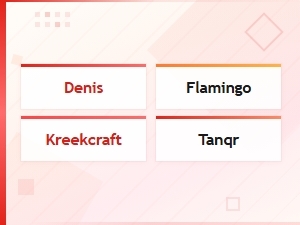 Roblox Creator Codes for Popular Youtubers
 Best Maker Discount Codes for Woodworking Equipment and Diy Tool Deals
 Diy Power Tool Promo Codes for Beginners – Save on Starter Kits