If you've ever watched a Roblox YouTuber or streamer ask you to "use my creator code," you might have wondered what that actually means and whether it's worth your time. Creator codes are a simple way to support your favorite Roblox developers and content creators without spending extra money. Knowing how to use creator codes in Roblox lets you give back to the people who make the games and videos you enjoy, and it only takes a few seconds to set up.
What Is a Creator Code in Roblox?
A creator code is a unique identifier tied to a specific Roblox developer, content creator, or influencer. When you enter someone's creator code in the Roblox store, that creator earns a small percentage of your eligible Robux purchases. Think of it like tipping a creator except you don't pay anything extra. Roblox simply shares a portion of the revenue with the creator whose code you've entered.
These codes are part of Roblox's effort to support the community of builders, scripters, and entertainers who keep the platform alive. If you want a deeper look at what Roblox creator codes are and how they work, we've covered that in detail elsewhere.
How Do You Enter a Creator Code in Roblox?
Setting a creator code is straightforward. Here's exactly what to do:
- Open Roblox and go to the main screen (the Roblox website works too).
- Click on the Robux icon or navigate to the Avatar Shop.
- Look for the "Support a Creator" option. On the website, you'll usually find this at the bottom of the left sidebar in the Avatar Shop or under the Robux purchase section.
- Click on it, and a text box will appear.
- Type in the creator code of the person you want to support. Make sure you spell it correctly codes are case-sensitive in some cases.
- Click "Add" or "Apply."
That's it. Once the code is accepted, a small portion of your future eligible purchases will go to that creator automatically.
Where Exactly Do You Find the Support a Creator Option?
Roblox has moved this feature around a bit over time, which can be confusing. Here are the main places to check:
- Roblox Website: Go to the Avatar Shop, scroll down the left-hand menu, and look for "Support a Creator."
- Roblox App (Mobile): Open the store section and look for the creator support option near the bottom of the screen.
- Roblox Desktop App: Similar to the website navigate to the store or Robux section.
If you can't find the option at all, your Roblox account might need to be verified, or the feature may not be available in your region. Check out our troubleshooting guide if your Roblox creator codes aren't working.
Does Entering a Creator Code Cost You Anything?
No. Using a creator code does not add any extra charge to your purchases. The creator receives a cut from Roblox's revenue not from your wallet. You pay the same amount for Robux or in-game items whether you use a code or not.
This is one of the biggest misconceptions. Some players avoid creator codes because they think it increases prices. It doesn't.
Why Would You Want to Use a Creator Code?
The main reason is simple: to support creators you already enjoy watching or whose games you play regularly. Here are a few situations where it makes sense:
- You regularly watch a Roblox YouTuber and want to give them a passive way to earn from your activity.
- You play a specific Roblox game a lot and want to support the developer behind it.
- A creator you follow is promoting their code during a livestream or video and you want to help out.
If you're looking for popular creators whose codes are widely used, check out our list of Roblox creator codes for popular YouTubers.
What Happens After You Enter a Creator Code?
Once the code is accepted, it stays active on your account. Every time you make an eligible purchase whether that's buying Robux, game passes, or avatar items a small percentage (typically around 5%) goes to the creator linked to that code. You don't need to re-enter the code every time you buy something.
You can change your selected creator at any time. Just go back to the same "Support a Creator" section and enter a new code. There's no penalty or cooldown for switching.
Common Mistakes When Using Creator Codes
Players run into a few recurring issues. Here's what to watch out for:
- Typing the code wrong: Creator codes must be entered exactly as the creator provides them. Double-check spelling and spacing.
- Using an expired or invalid code: Not all creator codes last forever. If a code doesn't work, it may have been deactivated.
- Not saving the code properly: On some devices, you need to click "Add" or "Apply" after typing the code. Simply typing it in the box and closing the window won't save it.
- Confusing promo codes with creator codes: These are two different things. Promo codes give you free items. Creator codes direct revenue to a creator. They're entered in different places.
Can You Use Multiple Creator Codes at Once?
No. You can only have one active creator code at a time. When you enter a new code, it replaces the previous one. So choose the creator you most want to support at least until you decide to switch.
Quick Tips for Getting the Most Out of Creator Codes
- Use a code for creators you genuinely support, not just whoever is trending. Your purchases will benefit them over time.
- Check back occasionally to make sure your chosen code is still active and the creator is still producing content.
- Don't fall for fake codes that promise free Robux. Creator codes don't give you anything they benefit the creator.
- Spread the word if you like a creator. Sharing their code helps them grow even if you've already set it on your account.
Your Next Steps
Here's a quick checklist to get started right now:
- Pick a creator you want to support a YouTuber, game developer, or streamer whose content you enjoy.
- Find their exact creator code (usually listed in their video descriptions or social media bios).
- Log into Roblox on your preferred device.
- Navigate to "Support a Creator" in the Avatar Shop or Robux section.
- Enter the code and click Add.
- Verify it's saved by checking the section again it should show the creator's name.
That's all there is to it. It takes less than a minute, costs you nothing, and directly supports the people building and entertaining within the Roblox community. If you run into any issues along the way, our guide on fixing creator codes that aren't working should help you sort it out quickly.
 Roblox Creator Codes Not Working – Quick Fixes and Solutions
 Roblox Creator Codes: What They Are and How They Work
 All Active Roblox Creator Codes for Free Rewards
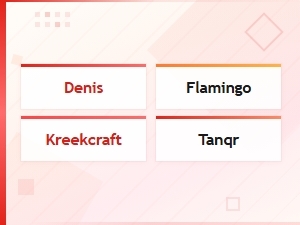 Roblox Creator Codes for Popular Youtubers
 Best Maker Discount Codes for Woodworking Equipment and Diy Tool Deals
 Diy Power Tool Promo Codes for Beginners – Save on Starter Kits